
Article
PDF Resume or Online CV: What to Share with Employers
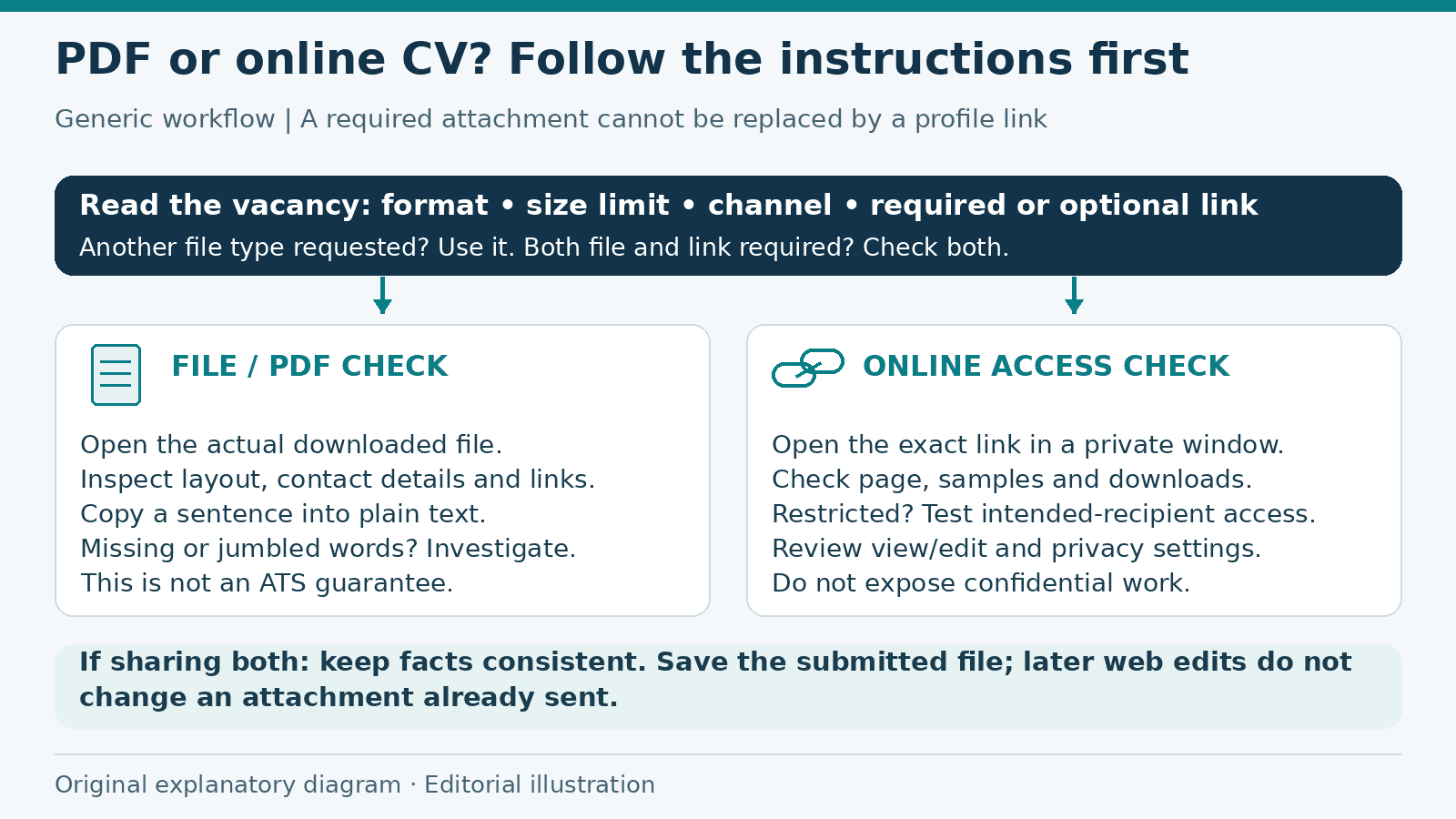
Generic format decision and testing workflow. A private-window test is an access check, not proof of privacy. Original operator-created explanatory diagram; not a product screenshot or ATS test. Drawn from original shapes and text without third-party image assets.
Should you send a PDF resume or online CV? Start with the vacancy instructions. If an employer asks for an attachment, a profile link is not a substitute. If they request a portfolio or online profile, make sure the link gives them access to the information they need.
Both formats can be useful, but they serve different purposes. A PDF is a particular version of a document. A web CV is a page you can update. Neither choice removes the need to check the content, access and privacy before sharing.
Follow the requested format first
Read the application instructions before deciding what to send. Check the accepted file types, size limit and whether a link field is required or optional. If the employer asks for a Word document or another format, follow that request instead of assuming PDF is always preferred.
Use the required channel too. A CV on a public profile does not mean you have completed a separate application form. If instructions are unclear, ask a specific question through the recruitment contact rather than sending several versions through different routes.
When a PDF is useful
A PDF works well when the employer requests a file or you need a tailored copy for a particular vacancy. It gives you a saved version to review, attach and keep in your application records. Use a clear filename such as YourName_Resume_JobReference.pdf, unless the employer specifies another naming rule.
Open the exported file rather than judging only the editor preview. Check page breaks, headings, contact details and any links. Look for missing text, small type or a final page containing only a few lines that could be arranged more clearly.
Harvard's resume guide advises checking that formatting survives PDF conversion. Treat export as another review step, not a guarantee that the file will look right.
Try selecting a sentence and copying it into a plain-text note. If the words are missing or jumbled, investigate before sending. This is a basic text-readability check, not proof of accessibility or compatibility with every applicant tracking system. Follow the employer's requirements even if a local test looks fine.
When an online CV adds value
An online CV is useful when an employer requests a profile link, when you are networking or when you need room for project descriptions and work samples. You can explain what each project involved, identify your contribution and link to material you are allowed to share.
Do not add an online profile simply to repeat an attachment. Include it when it helps the reader understand relevant work. Keep the most useful information easy to find instead of expecting a recruiter to search through unrelated projects.
Review the page after making changes. Check the link on a phone as well as a larger screen when practical. A page that opens for you may still ask someone else to sign in or request permission.
Test the recipient's access
Open the exact link you plan to share in a signed-out or private browser window. Check the CV page, project links and downloads separately. A working homepage does not establish that the linked sample or file is accessible.
If a document should remain restricted, arrange access for the intended recipient and test that route. Do not change confidential material to public access just to make the test pass. When the application allows it, an approved, anonymized sample may be safer than exposing the original client file.
Google Drive's sharing guidance distinguishes restricted sharing from anyone-with-link access and separates viewing from editing permissions. Check your chosen service's controls rather than assuming that a copied URL grants suitable access.
A signed-out check catches some access failures, but it does not establish every privacy property. A link that opens without signing in may also open for someone who receives it later. Consider that possibility before putting personal information on the page.
Share only information you intend to disclose
Review your CV for identity numbers, banking details, a full home address or unrelated family information. Include personal data only when it is relevant and appropriate for the application. Requirements differ between roles and countries; do not treat a generic template as an instruction to disclose everything it offers.
Ask references before sharing their contact information. Remove confidential client details from projects and avoid screenshots containing private messages or account data. Describe your work accurately without making an employer's internal material public.
Remember that an attachment can be forwarded too. Keeping a PDF off the public web does not guarantee that only the named recipient will ever see it. A minimal, relevant document is easier to share responsibly than a complete personal record.
Keep the file and web version consistent
If you maintain both formats, compare job titles, dates, qualifications and contact details. The PDF may emphasize experience relevant to one vacancy, while the web page covers more projects. That difference is reasonable; conflicting facts are not.
Save the PDF you actually submitted. Updating the online CV later does not update a previously sent attachment. Keep a note of the shared link and submission date so you can reconstruct what you provided if the employer asks.
Europass CV guidance recommends clear language and experience relevant to the vacancy. Apply that principle to both versions rather than adding more detail simply because a web page has more space.
Worked example: choose what to send
Imagine a fictional applicant, Sam, applying for a design-support role. The vacancy requires a PDF resume and offers an optional portfolio-link field. Sam prepares a PDF with relevant experience, then chooses a small selection of original work samples for the portfolio.
Sam opens the exported file and finds that a project heading sits alone at the bottom of a page. They adjust the layout and export again. They also test the portfolio outside their account and discover that one sample needs a permission request.
Rather than making a client's working folder public, Sam replaces that sample with a permitted demonstration project and labels it accordingly. They submit the required PDF and include the tested portfolio link as supporting material. They save the attachment and confirmation afterward.
This is an example of a format decision and review process, not evidence that either format improves hiring results. If that vacancy requested only a profile link, Sam would follow that instruction instead.
Choose the format for the situation
- Required attachment: send the requested file format and inspect the exported document.
- Required profile link: test access and put relevant experience near the top.
- Optional portfolio: include it when it adds useful evidence you can share.
- Both requested: check factual consistency and submit both through the stated channel.
Checklist before sharing
- I followed the employer's format and file-size instructions.
- I checked the PDF itself for missing text, layout and working links.
- I tested web pages and downloads outside my own signed-in account.
- I reviewed access permissions and removed unnecessary private information.
- I have permission to share the work samples and reference details.
- Dates, qualifications and contact information agree across versions.
- I saved the submitted file and checked application confirmation separately.
The ALHarih Resume Builder advertises browser editing, PDF download and options to save a private account draft or publish a web CV. Its public notice warns that published professional and contact details can appear in search engines, and that anyone holding a link-only CV link can view it. Read the visibility notice before publishing.
For layout and export guidance, read the ALHarih CV builder walkthrough. You can find more application advice in the articles library. For your next vacancy, choose the requested format first, then test the exact file or link you intend to send.
Read next
View all articles
Binance Hack 2026: What Happened and Why It Matters
The Binance hack in October 2026: what Binance has confirmed, how signing systems can be abused, and practical security lessons for developers and users.
Read more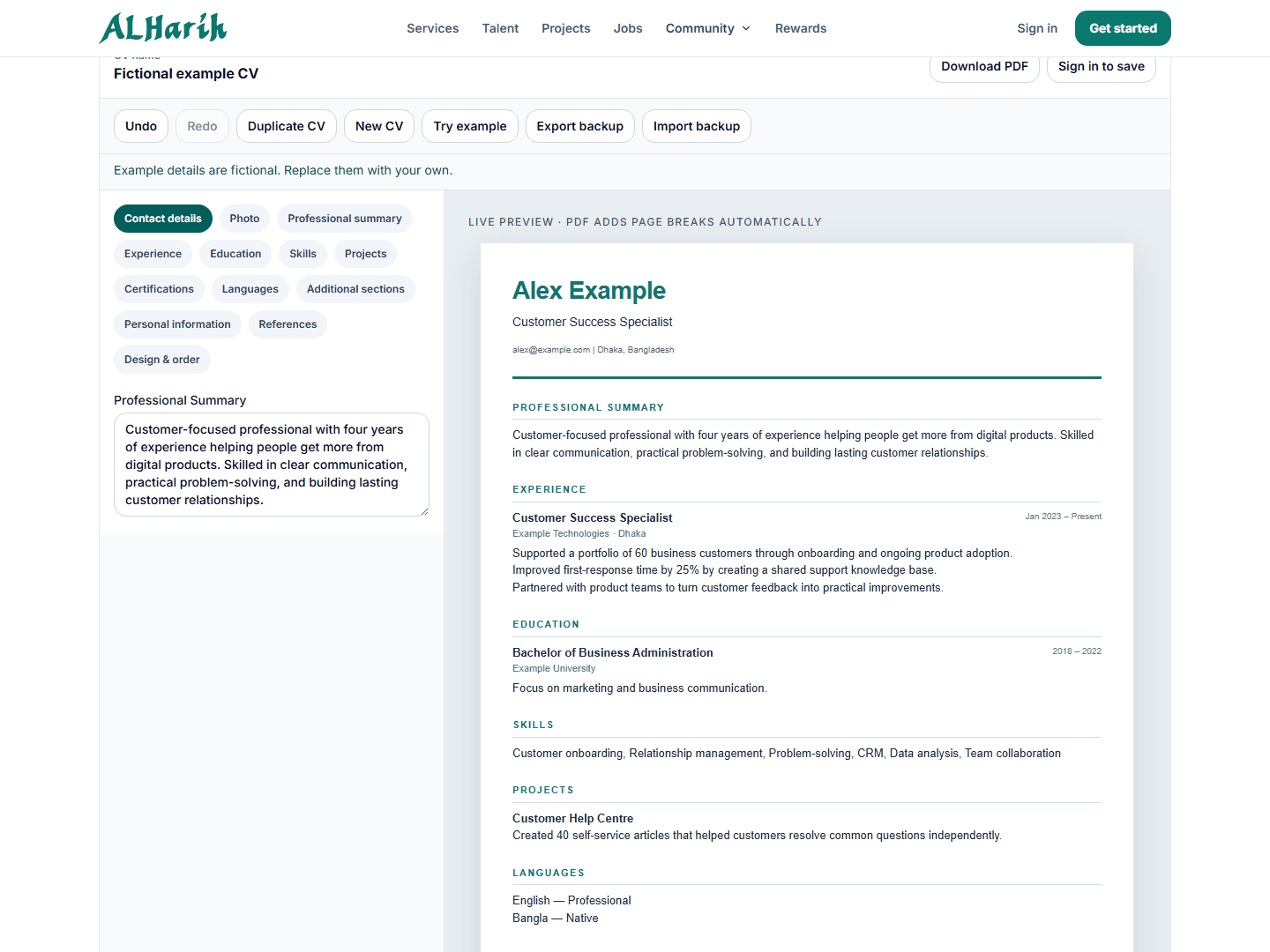
ALHarih Resume Builder: Create and Check Your CV
A practical CV walkthrough with fictional examples, original screenshots, export checks and clear distinctions between saving, sharing and applying.
Read more
How to Learn Spanish One Real Conversation at a Time
Learn Spanish through useful conversations, grammar examples and a flexible daily routine. Start listening, speaking and asking questions with less pressure.
Read moreExplore related career opportunities
Find roles that fit your location and interests. Each listing explains its current or planned vacancies.
All locations, roles and employment types
Comments (1)
Sign in to join the discussion.
AI Researchers
Thank you for helpful article.