
Article
Job Application Checklist: From Eligibility to Submission
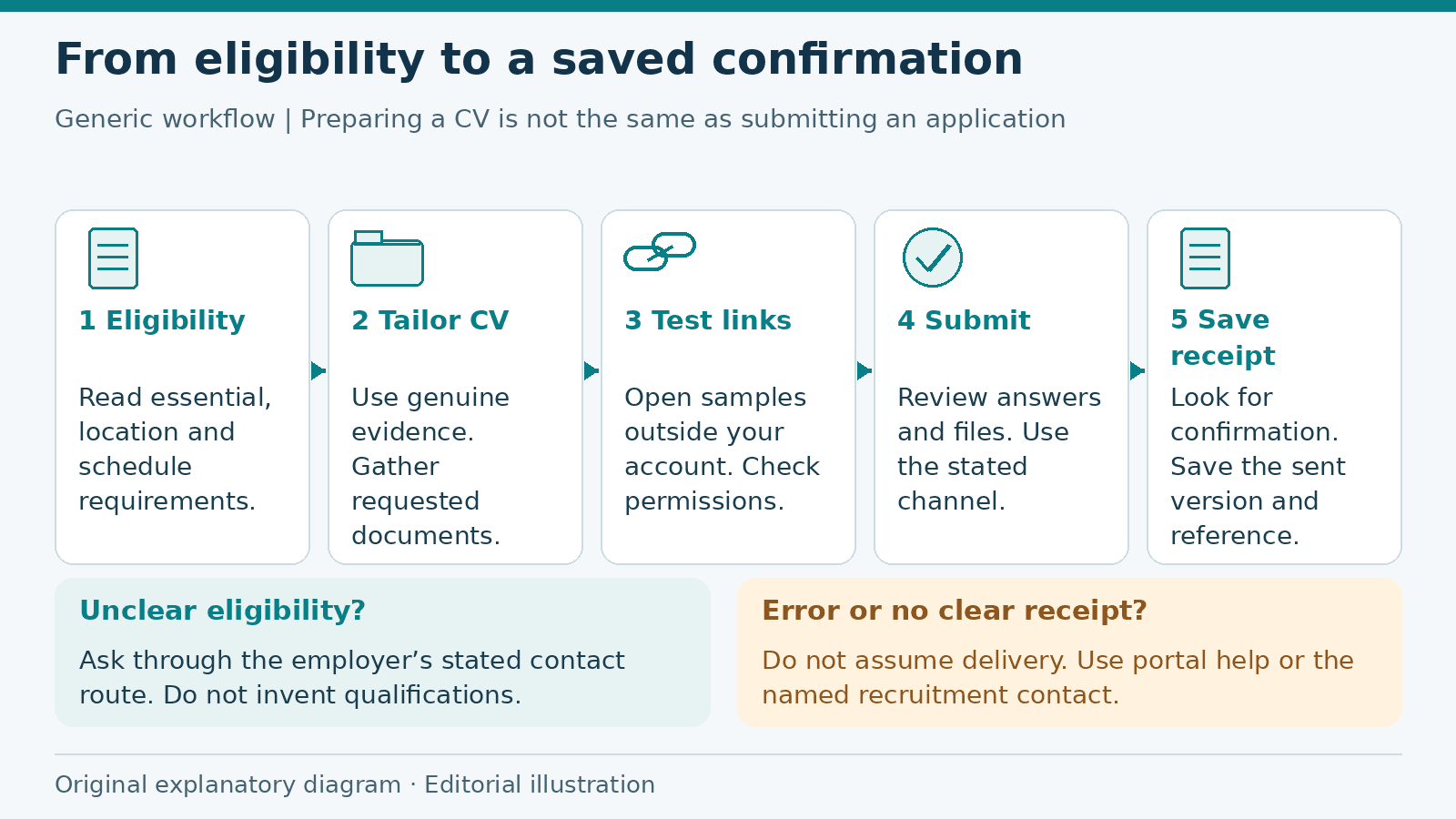
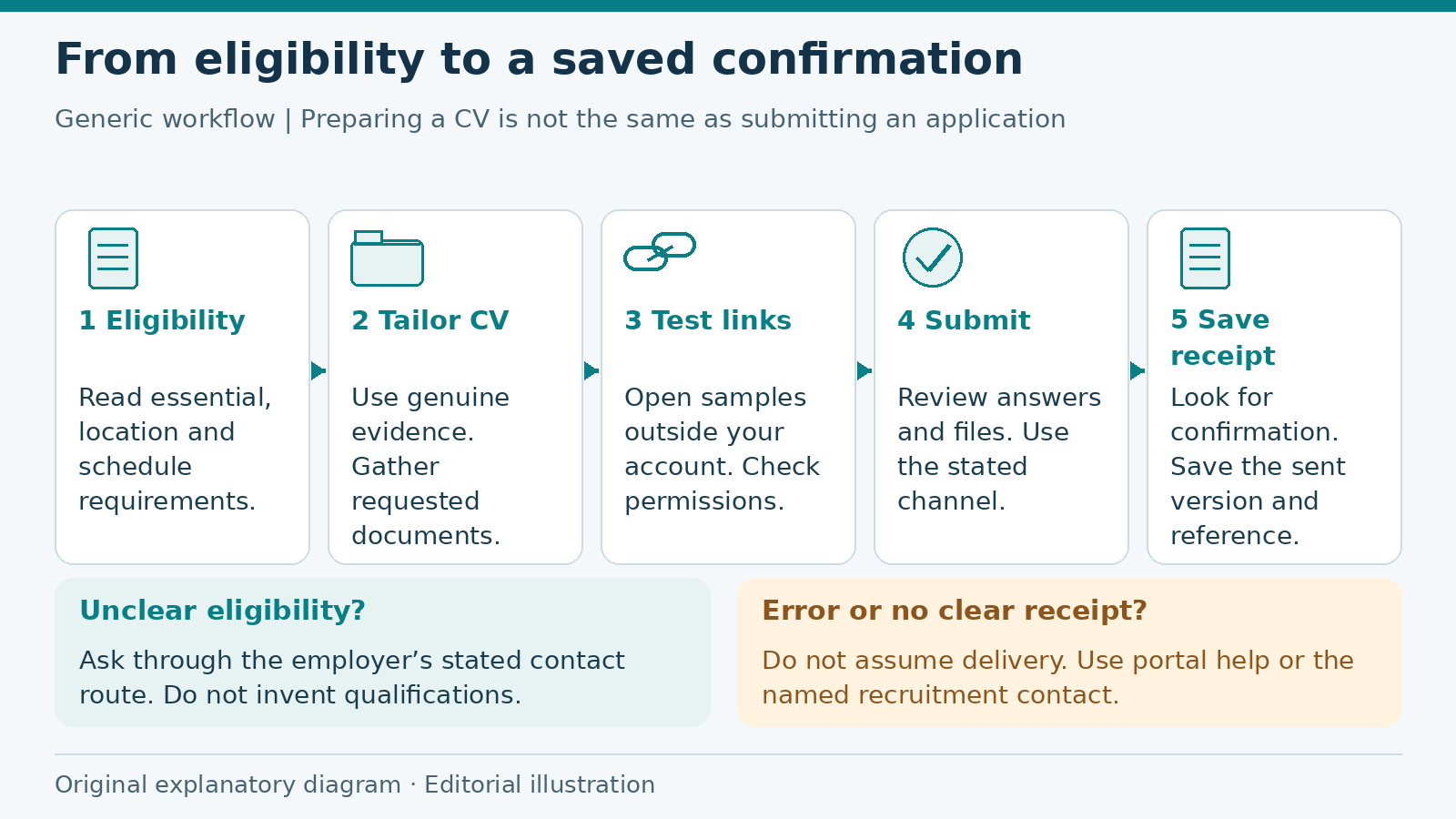
Generic preparation-to-confirmation workflow; no application service or hiring result is depicted. Original operator-created explanatory diagram; not a product screenshot or ATS test. Drawn from original shapes and text without third-party image assets.
A job application checklist helps you turn a vacancy into a complete submission. Start with the employer's requirements, prepare the evidence they ask for and finish by checking that the application was actually received. The process matters whether you are applying for your first role or moving to a more experienced position.
This guide covers preparation through confirmation. If your documents are already finished and you only need to inspect the final files, use the separate pre-send review checklist.
Read the requirements before preparing documents
Read the whole vacancy, including the location, work arrangement and closing date. Separate essential qualifications from preferences. Check any stated language, licensing, schedule or location requirements rather than assuming that a matching job title makes the role suitable.
If you are unsure about an eligibility condition, use the employer's stated contact route to ask a focused question. Do not mark a qualification as complete or claim work authorization you do not hold. A remote role may still specify where applicants must live or work.
Write down the requested documents, format, application channel and deadline. Include the time zone if one is stated. This short requirements list is more useful than sending the same bundle to every employer.
Prepare a current CV with relevant evidence
Review your employment history, education and skills against the role. Move relevant examples where the reader can find them, but keep dates and job titles accurate. If you lack formal employment experience, use genuine coursework, projects or volunteering and label them honestly.
Choose a few examples that show the requested work. For customer support, you might describe explaining procedures or escalating technical enquiries. Do not add a satisfaction score unless you can support it. Using terms from a vacancy is useful only when they describe skills you actually have.
Harvard's resume guide recommends specific, factual language. Europass guidance likewise advises matching your experience to the vacancy. Use those principles to select evidence rather than padding your CV with broad claims.
Gather the documents the employer requests
Prepare the CV or resume, a cover letter when requested, and any required certificates or forms. Check file format and size limits before uploading. Keep extra certificates available privately; you do not need to send every document you own.
A cover letter should explain your interest in this role and connect relevant experience to its requirements. Check the employer name and position each time. A letter that still names a different organization needs another edit, however polished the rest may be.
Ask permission before listing someone as a reference or sharing their contact details. For early applications, avoid unnecessary identity documents or financial information. If sensitive documents are requested later, verify the employer and the stated submission channel before sending them.
Make your portfolio accessible and safe to share
Choose samples relevant to the work. For each one, explain what the project was and which part you handled. A group project is valid evidence, but it should not appear to be entirely your work.
Use links that lead directly to the intended sample. Open them outside your signed-in account and check the page on a phone if practical. If the sample needs restricted access, give the intended recipient appropriate access instead of assuming a link alone is enough.
Remove confidential client details and unpublished work you cannot share. Do not expose a whole working folder when a single approved sample would do. For cloud documents, review whether the recipient can view or edit, and check whether unrelated files are visible.
Verify contact details and application answers
Confirm that your email address is spelled correctly and that you can access the inbox. Check your phone number and country code. Make sure the CV, cover letter, online profile and form agree on dates, qualifications and current contact details.
Read every required form question. A CV upload may not replace fields asking for work history or eligibility information. Answer accurately and check any information copied into the form from an uploaded document. Do not assume the import preserved every date or employer name.
For email applications, confirm the recipient and subject line. For a portal, use the destination named in the vacancy. Keep a copy of longer answers before submitting so that an interrupted session does not leave you reconstructing them from memory.
Worked example: prepare a support-role application
Imagine a fictional applicant, Alex, considering a customer support vacancy. The advertisement asks for a PDF CV, a short statement about handling customer questions and a portfolio link if relevant. It also gives a location requirement and a closing time.
Alex first checks the location requirement and confirms that it fits. They then select genuine experience explaining service procedures and coordinating escalations. They do not claim experience with a tool they have only read about.
The supporting statement describes a specific situation, Alex's actions and the outcome they can verify. If the relevant example comes from volunteering rather than paid work, Alex says so. The statement answers the employer's question instead of repeating the full CV.
For a sample, Alex uses an original demonstration help article with fictional customer details. They test the link in a signed-out window, then open the exported CV and correct an outdated phone number. The example is hypothetical; it illustrates a review process, not a hiring result.
After completing the form, Alex checks the preview and submits. They look for a receipt or confirmation screen and save it with the documents. If there is only an error message, they do not assume the application arrived.
Check submission and keep a useful record
Before submitting, make sure every required field is complete and every file is the intended version. Allow time before the deadline to fix an upload or access problem. Do not rely on an unfinished form being saved unless the service explicitly confirms that it is.
After submission, look for the confirmation the employer or portal provides. Save the reference number or email where available. If the status is unclear, follow the portal's help instructions or ask through the named recruitment contact rather than sending repeated applications without checking.
Keep a simple tracker with the employer, role, vacancy link, submission date, document version and confirmation. Add the employer's stated timeline and any follow-up instructions. A record helps you prepare for an interview and avoid asking about an application you have not completed.
Application checklist
- I read the eligibility, location and schedule requirements.
- I recorded the deadline, channel and required documents.
- My CV is current and uses truthful, relevant evidence.
- My cover letter or supporting statement answers this vacancy.
- My portfolio opens for the intended reader and contains only shareable work.
- My contact details and employment dates agree across the application.
- I checked every required answer and attachment.
- I looked for confirmation rather than assuming submission succeeded.
- I saved the submitted version and any reference number.
Choose a vacancy from ALHarih jobs and make its requirements list before preparing your documents. If you need to organize the CV, explore the Resume Builder. More preparation guides are available in the articles library. Preparing a CV and submitting an application are separate steps; check that you completed both.
Read next
View all articles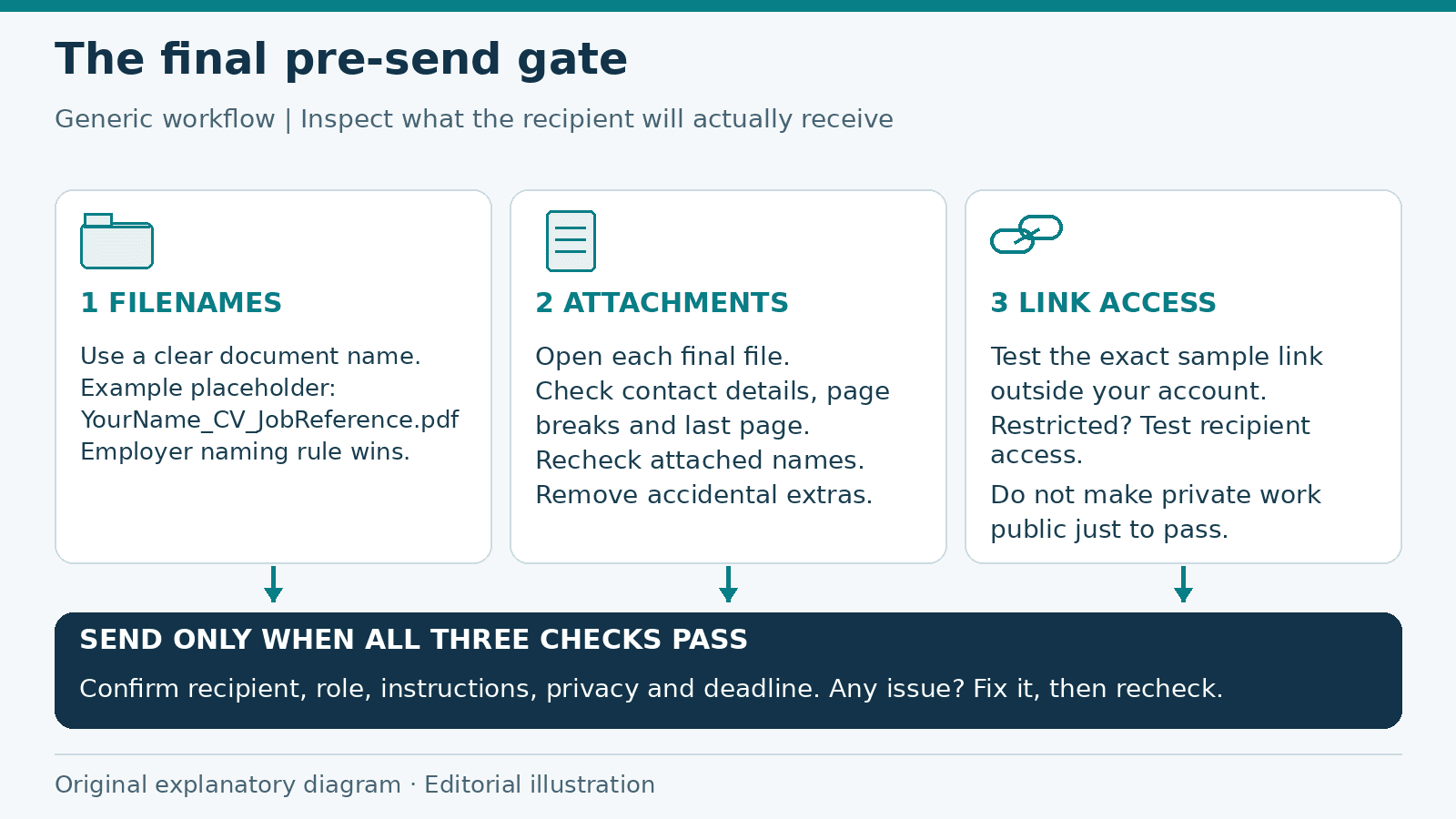
Job Application Checklist: Final Checks Before You Send
A final pre-send review of application filenames, attachments, link permissions and private information, with a checklist to catch preventable mistakes.
Read more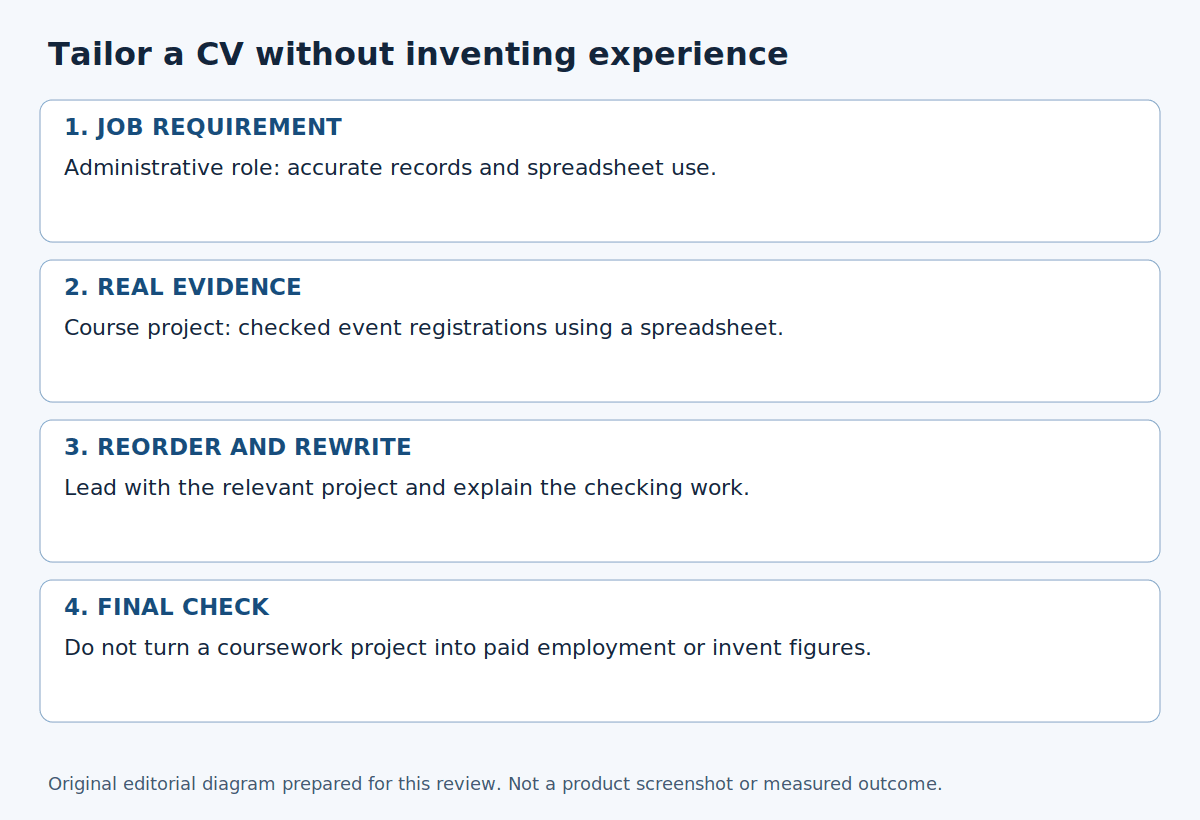
How to Tailor Your CV to a Job Description
Match a job advert to genuine experience, choose the right examples and reorder your CV without inventing skills, qualifications or results.
Read more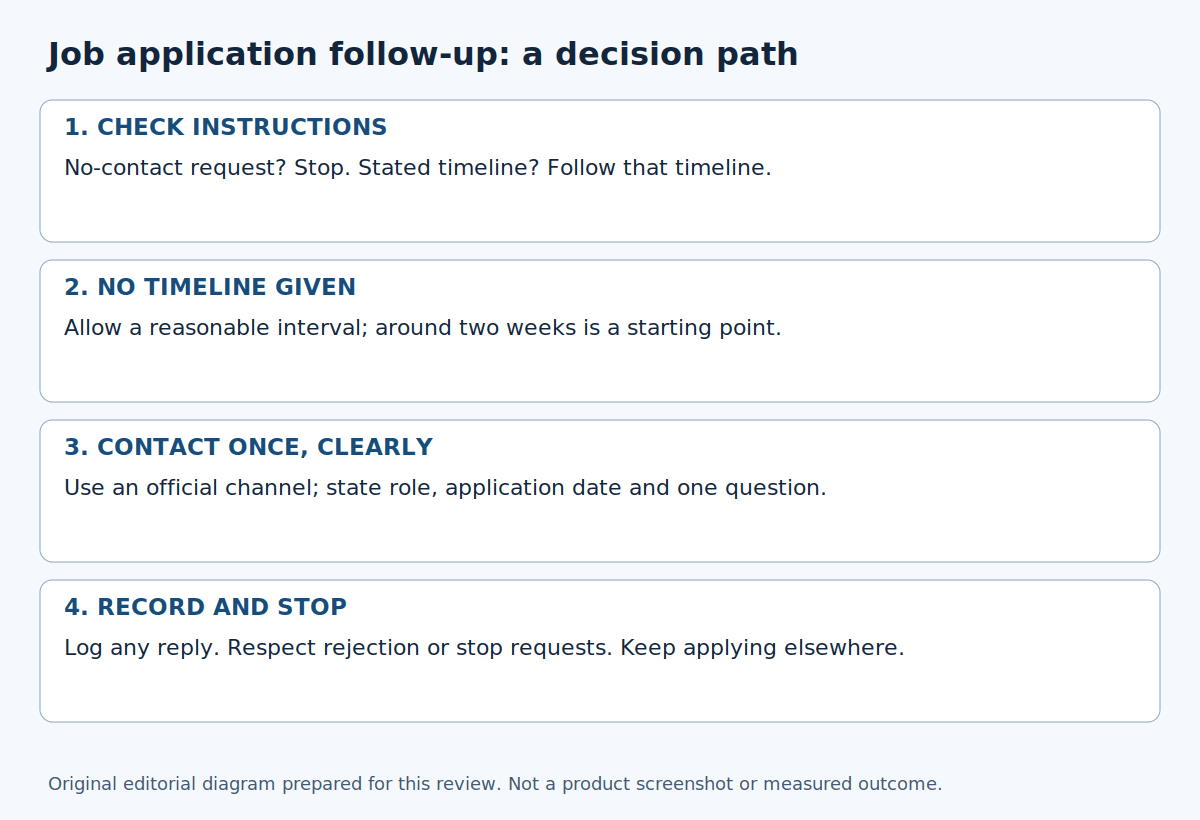
How to follow up after applying for a job
Check the employer's instructions before following up. Use concise email options, choose an appropriate contact route and record when to wait or stop.
Read moreExplore related career opportunities
Find roles that fit your location and interests. Each listing explains its current or planned vacancies.
All locations, roles and employment types
Comments (0)
Sign in to join the discussion.
No comments yet. Start the conversation.