
Article
ATS-Friendly Professional CV: A Practical Checklist
An ATS-friendly professional CV should make your experience easy to read, both in an application system and on a recruiter's screen. Start with clear writing and a simple layout. A builder can help arrange the information; it cannot make an unsupported qualification true.
Applicant tracking systems vary. Greenhouse, for example, documents resume parsing that fills candidate-profile fields and can fail or extract only part of a document. A formatting check helps you catch obvious problems, but it is not an ATS score or a promise of selection.
Choose a layout with a clear reading order
Use a single column as a practical starting point. Place your name and contact details in the main document text, followed by familiar headings such as Work Experience, Education and Skills. Avoid putting essential information only inside a header, footer, image or text box.
Greenhouse's parsing guidance lists columns, graphics, complex tables and contact details in headers or text boxes among possible causes of failed or partial parsing. This is evidence about one vendor, not a rule that every system handles every layout the same way.
Choose a readable font and comfortable size. Around 10 to 12 points is a useful starting range for body text, not a reason to squeeze a long CV into tiny print. Keep dates and spacing consistent. Use ordinary bullet points rather than icons that carry essential meaning.
Follow the employer's requested format. If the application asks for DOCX, do not send PDF just because a general guide prefers it. If no format is specified, choose a supported document type and inspect the actual exported file.
Organize the information the employer needs
Include a professional email address, phone number and relevant location near the top. Add a portfolio, LinkedIn or GitHub link when it helps show your work. Check the destination and avoid exposing confidential projects.
List recent relevant experience first. For each role, show the job title, employer, dates and concise bullets. Education belongs near the top when it is your strongest relevant evidence; experienced applicants may place it below work history. Keep certifications and training that matter to the vacancy.
In this guide, CV means a job-application document. Academic CVs and some regulated or government applications have different conventions. Use the instructions for the actual role rather than treating a short general checklist as universal.
Write a summary that says something specific
A summary is useful when it quickly connects your background to the role. Skip phrases such as “hardworking professional seeking an exciting opportunity.” They take space without explaining what you can do.
For a fictional quality-control applicant, a more useful version is: “Quality control inspector experienced in checking finished products, recording defects and preparing inspection reports.” Use that wording only if it describes your own work. Add specialist tools or standards when you have actually used them.
If you are a recent graduate, describe relevant training or projects instead of implying employment experience. A short, accurate introduction is better than an impressive paragraph you cannot explain at interview.
Match keywords to evidence
Read the job description and note its required skills, tools and qualifications. Then find the evidence for each relevant requirement in your background. Use the employer's terminology when it accurately describes that evidence.
For an administrative job asking for Microsoft Excel and record management, describe how you used spreadsheets or maintained records, if you did. Do not add a tool just because it appears repeatedly in the advert. Keep unfamiliar requirements out of your skills list.
Explain abbreviations when needed and avoid hidden text, copied keyword blocks or long lists of unrelated terms. A recruiter should be able to find the same evidence that an automated search might surface.
Make experience bullets concrete
Replace a broad duty with the action you performed and enough context to understand it. For example, “Responsible for checking products” could become “Inspected finished products against quality standards and documented defects for review.” The second version is more informative without inventing a performance result.
Add numbers when you have reliable records or can otherwise substantiate them. If you cannot support a percentage improvement, describe the outcome in plain words. Never borrow an impressive statistic from a sample CV.
Projects, volunteering, internships and freelance work can supply relevant evidence. Label them honestly. State your contribution rather than taking credit for everything a team delivered.
Worked example: simplify without changing the facts
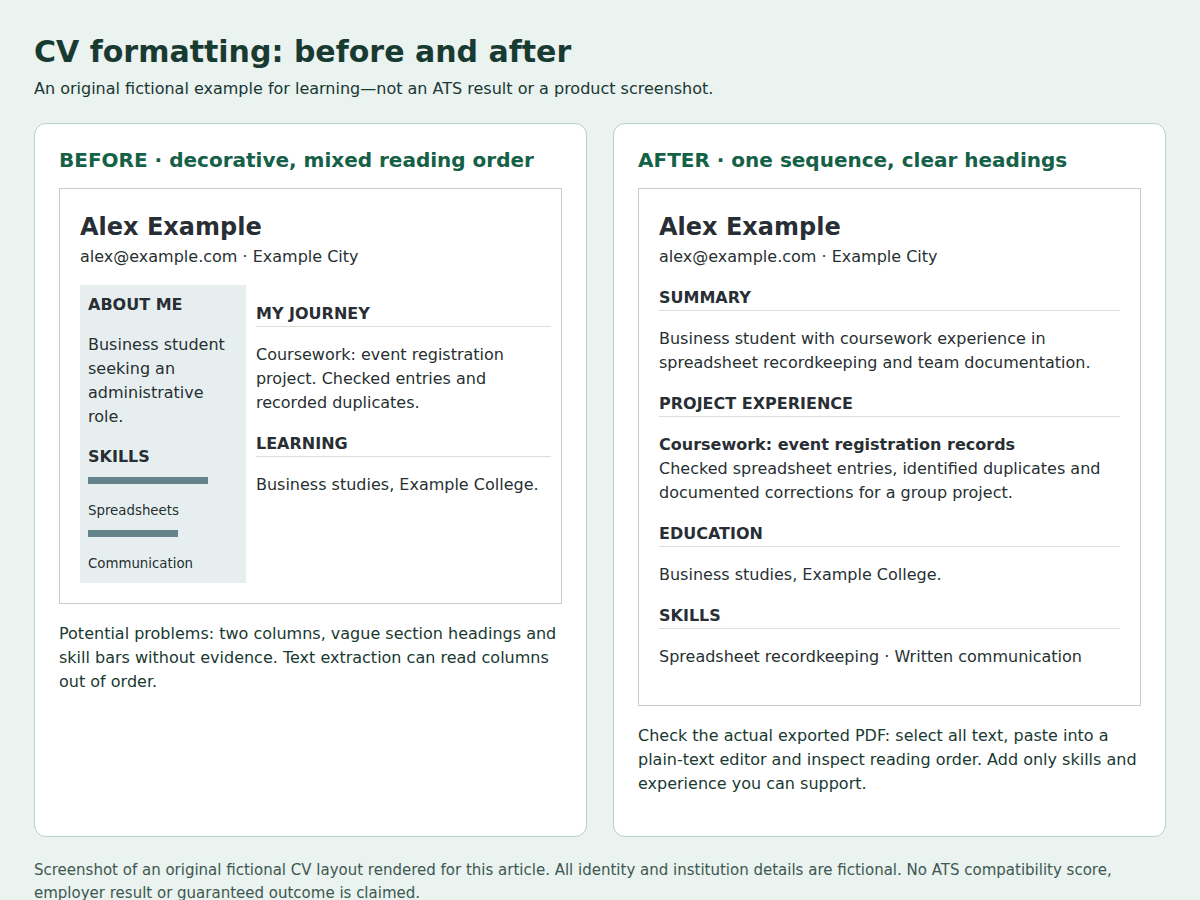
Sam Example is a fictional applicant. In the before version, contact details sit in a header, experience appears in a left column and skills sit in a right sidebar. In the after version, Sam uses one column, moves contact details into the main text and adds standard section headings. The work history and qualifications stay the same.
This comparison is about presentation, not a real applicant's screening result. The image below is an original fictional illustration, not evidence that a particular employer's parser accepted the document.
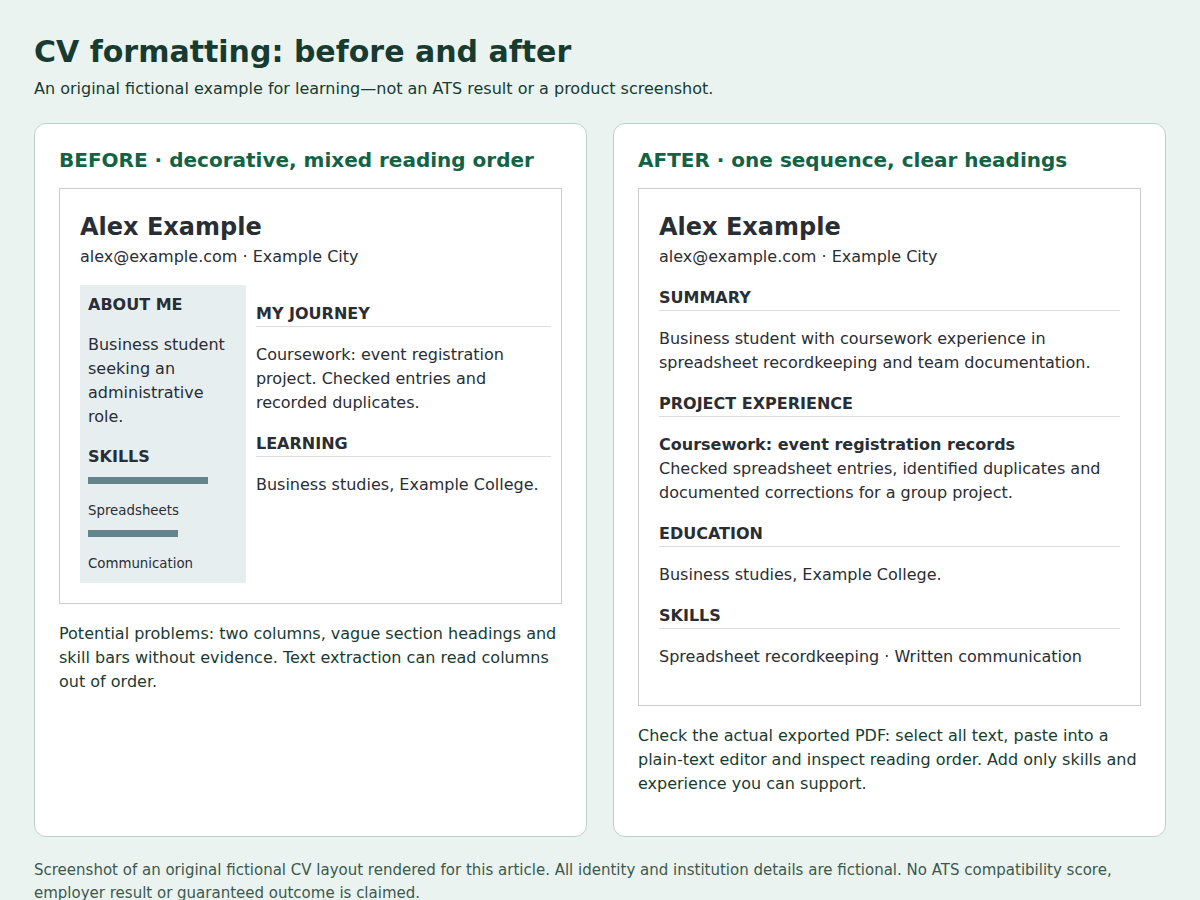
Original browser screenshot of a fictional before-and-after CV layout created for this editorial correction. All identity and institution details are fictional. This is not an ATS test result or a product screenshot; no third-party image assets or licence are used.
Check the export, not only the preview
Download the PDF and open that file. Check the page breaks, font size, links, contact details and whether any lines have been cut off. A preview inside the builder may not reveal every export problem.
Select the text in the exported PDF, copy it and paste it into a plain-text editor. Read it from top to bottom. Look for missing words, duplicated sections, dates attached to the wrong role or skills inserted halfway through an experience bullet.
If the sequence is wrong, simplify the layout and export again. If text cannot be selected, investigate whether the document was exported as an image. A successful copy test is a diagnostic only: it does not prove how every employer's parser will behave.
When an application portal fills fields from your CV, review those fields before submitting. Correct missing employers, misplaced dates and other errors even when the attached document looks right.
Final checklist before applying
- Use one clear reading sequence and familiar section headings.
- Keep contact details in ordinary text and check every link.
- Match relevant job terms only where your experience supports them.
- Keep dates, titles and qualifications accurate across versions.
- Follow the requested file type and any stated size limit.
- Inspect the exported file and its copied text.
- Review automatically populated application fields before submission.
University of Pennsylvania Career Services also recommends simple, consistent formatting and specific experience descriptions. Its guidance serves a university audience; adapt document length and content to the employer and country rather than following every convention mechanically.
Use your own accurate details in ALHarih Resume Builder, or read the ALHarih builder walkthrough for the editor's documented steps. Browse related articles for more CV guidance. Creating or downloading a CV is separate from completing an application.
Read next
View all articles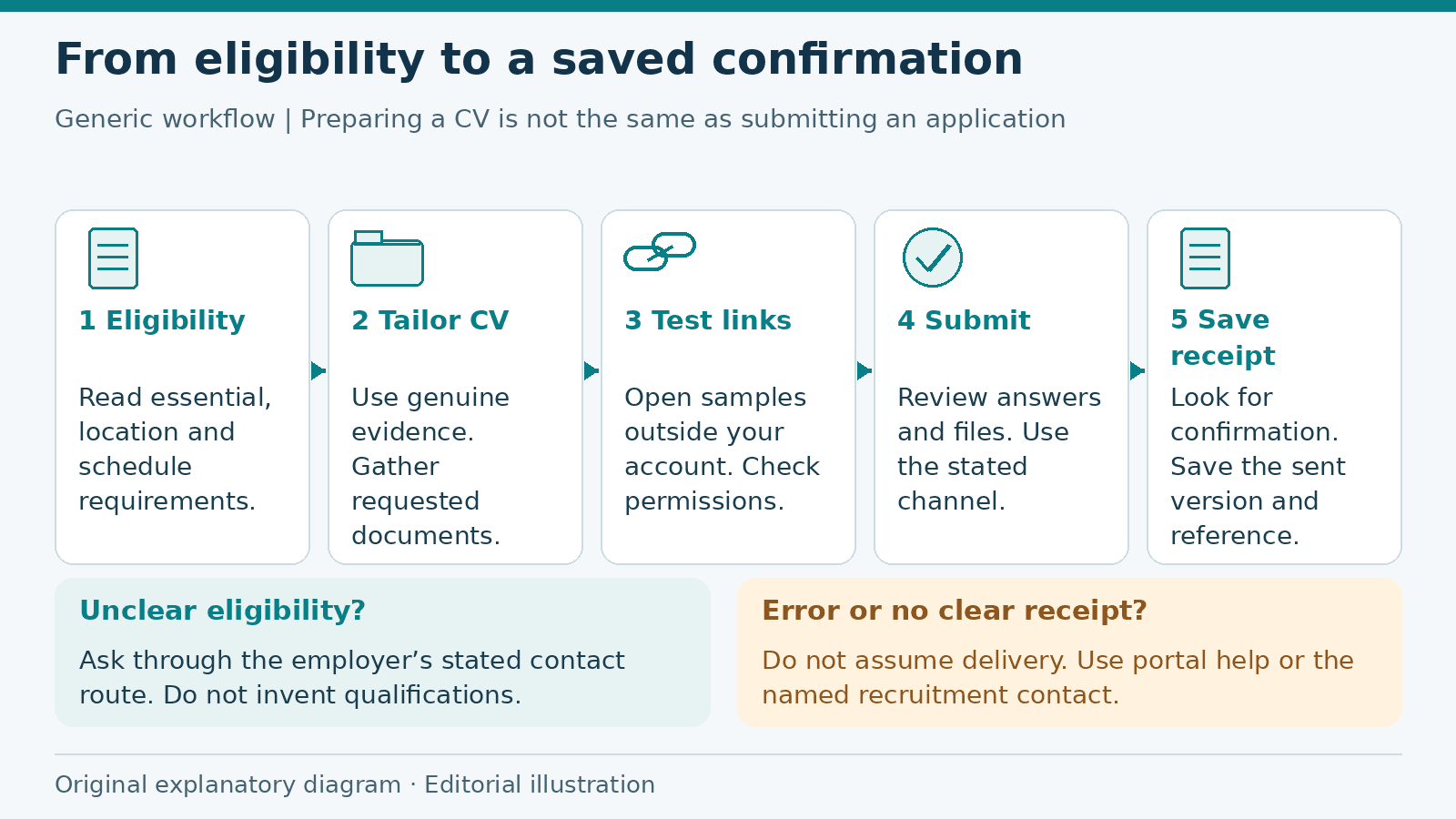
Job Application Checklist: From Eligibility to Submission
Prepare a job application from eligibility checks to submission confirmation, with a fictional worked example, document guidance and a practical checklist.
Read more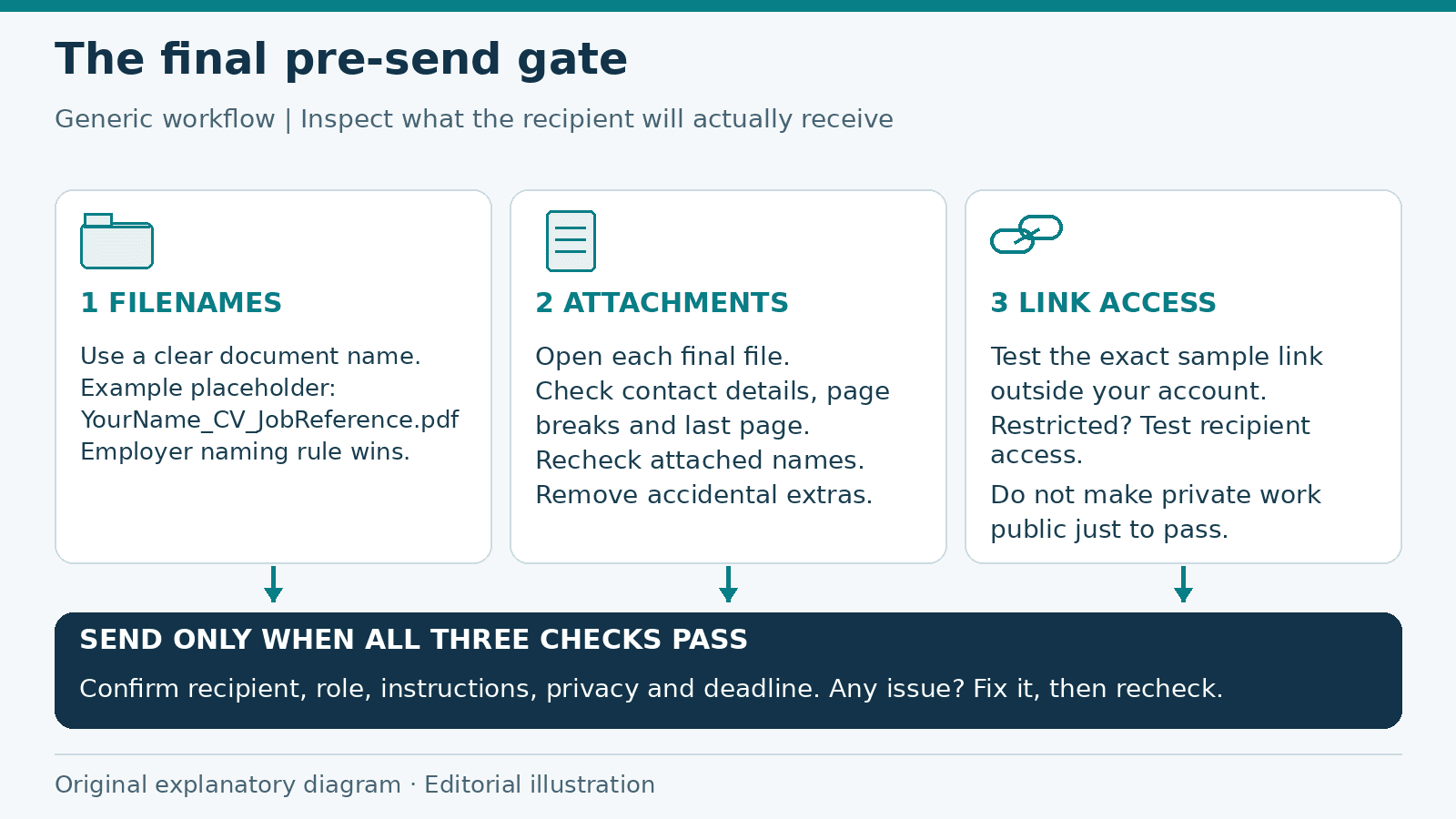
Job Application Checklist: Final Checks Before You Send
A final pre-send review of application filenames, attachments, link permissions and private information, with a checklist to catch preventable mistakes.
Read more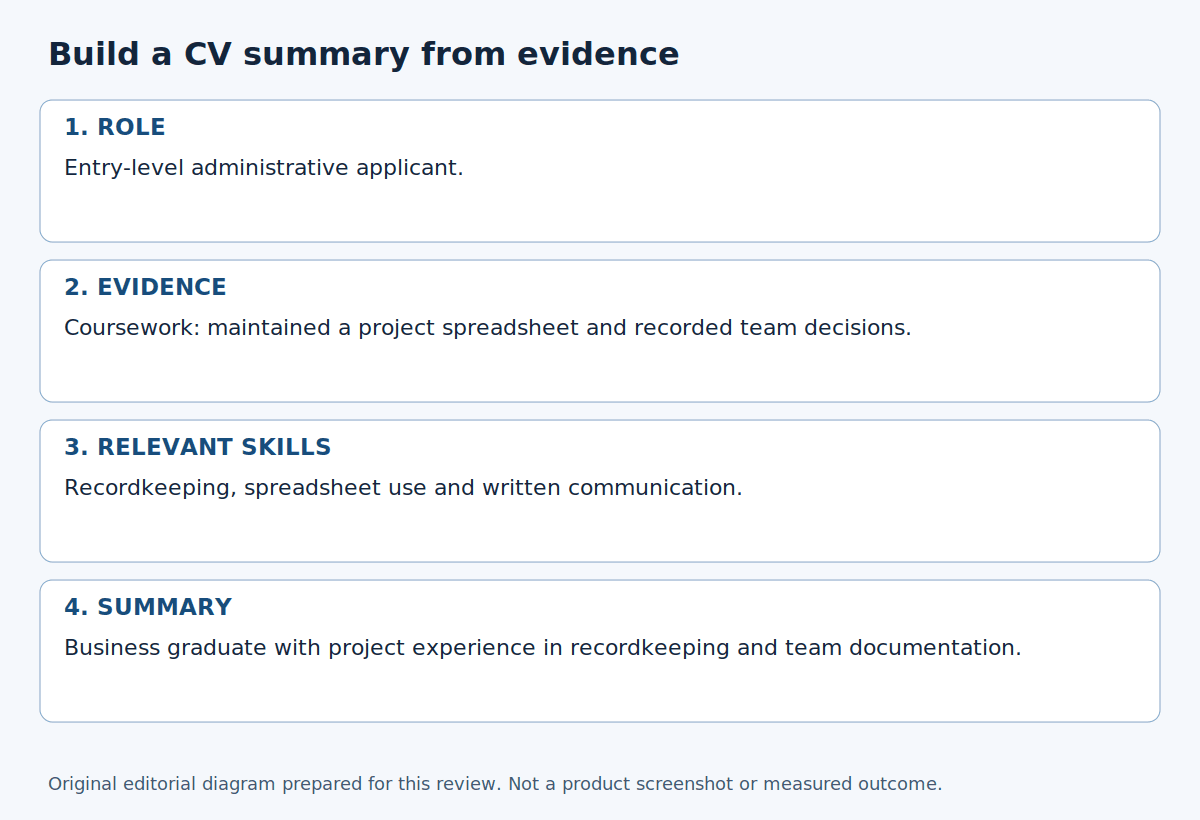
How to Write a Professional CV Summary with Examples
Write a concise CV introduction grounded in real experience. Compare six hypothetical summaries and replace empty claims with specific evidence.
Read moreExplore related career opportunities
Find roles that fit your location and interests. Each listing explains its current or planned vacancies.
All locations, roles and employment types
Comments (0)
Sign in to join the discussion.
No comments yet. Start the conversation.