
Article
Can a PHP Shell Affect Your Next.js or MERN App?
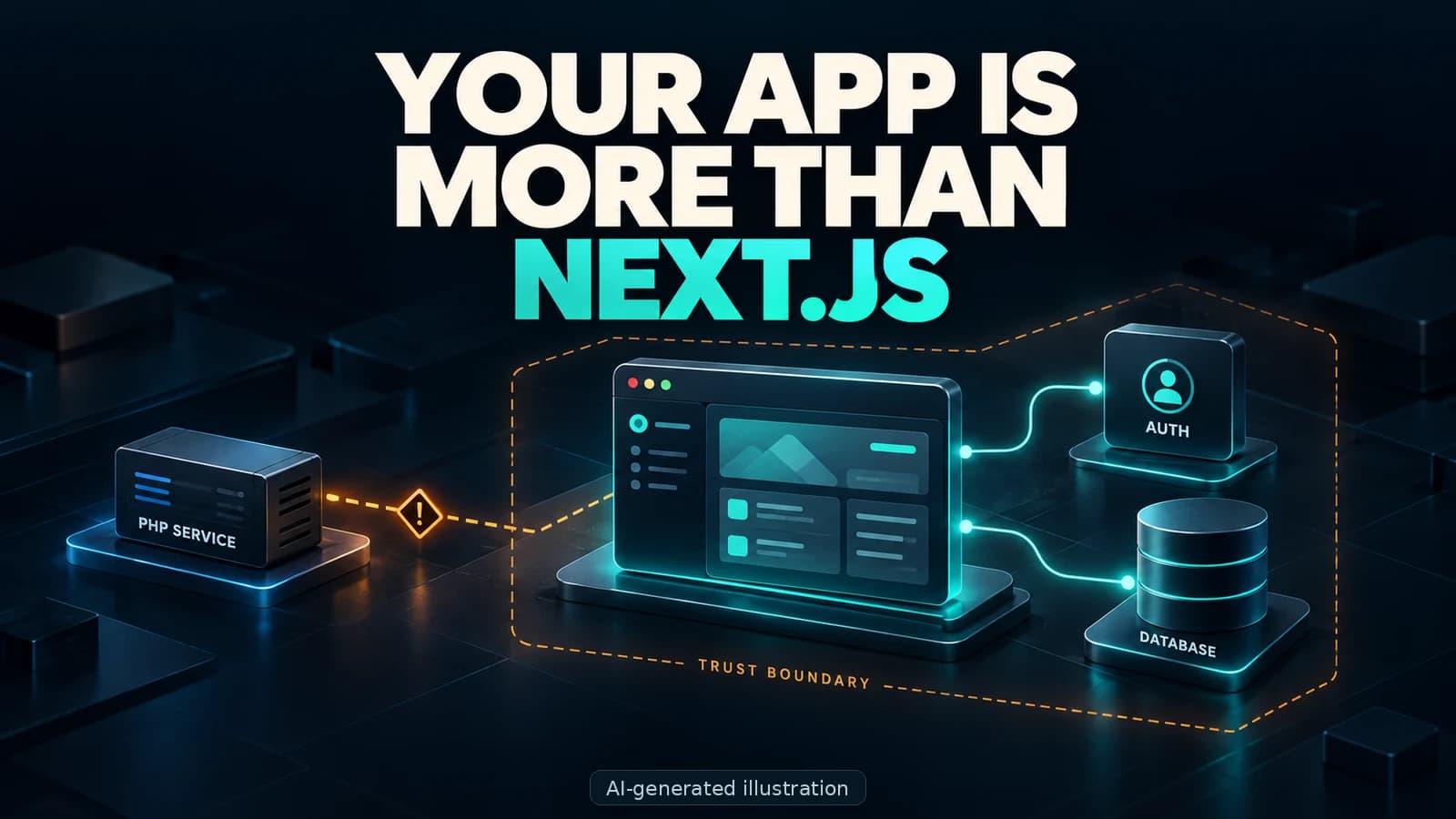
You are a MERN stack developer. You work with Next.js, React, and Node.js.
PHP? Not your problem.
You don’t write it. You don’t study it. Occasionally, you laugh at a PHP meme and return to your very modern JavaScript application.
But a PHP shell on a vulnerable supporting service could still put your application’s data at risk. Not because PHP magically takes over JavaScript, but because the services behind your app may share credentials, files, or database access.
Your frontend language does not define your entire security boundary.
How does that become your problem? Let’s start with the app you just built.
You built the app. Who designed the system?
Imagine you are building a banking app. Or perhaps an expense tracker that connects to financial services.
Maybe you are following a YouTube tutorial. Maybe you are an experienced developer trying to deliver a production release before Friday.
Either way, you ask AI:
“What is the best technology for this?”
It suggests Next.js for the application, Clerk for authentication, Supabase for the database, and a financial API for connecting accounts. Or perhaps it recommends Appwrite to handle several backend features together.
You spend the next few hours building, deploying, and testing.
Registration works. Transactions appear. The dashboard looks beautiful. There is even a dark mode.
Naturally, dark mode gets tested first.
But some less exciting questions remain:
- Where do your customers’ passwords live?
- Which services can read their financial information?
- What access do your server-side API keys provide?
- Who installs security updates?
- What happens if one service gets compromised?
Those are engineering and architecture decisions, not just installation steps.
AI can help you make those decisions. It should not make them without you understanding the consequences.
What is a PHP shell?
A malicious PHP web shell is server-side code that gives an attacker a way to interact with a compromised server over the web. Depending on its capabilities and permissions, it may let them read files, modify content, or run commands.
It is not a magic file that takes over every website using PHP.
An attacker needs a way to place or execute that code. That opening might involve a vulnerable application, an unsafe upload feature, or stolen administrative access. Uploading a file and making a server execute it are also two different things.
Think of it like someone getting into one room of your office.
Can they reach the filing cabinet? The server room? The master keys?
That depends on which doors you left open.
Appwrite uses PHP. Does that make it unsafe?
Appwrite’s backend uses PHP and Swoole, even when you access it through a JavaScript SDK.
So yes, you can build a JavaScript application while depending on a PHP service.
But that does not mean Appwrite is automatically vulnerable to every PHP exploit. Its runtime and request handling differ from a traditional Apache-and-PHP setup. A vulnerability affecting one deployment model may not affect another.
Knowing that your backend lives at cloud.yourdomain.com does not give an attacker automatic access.
Discovering an address is not discovering a vulnerability.
If somebody warns you about a specific PHP security issue, check the affected product, version, runtime, and configuration. Do not stop reading at “PHP.”
The lesson is to understand your dependencies, not to replace one language stereotype with another.
What about Clerk, Supabase, Firebase, and other tools?
They belong in this conversation, too. Just not all under the same label.
This is an inventory of common services to understand—not a list of products affected by one vulnerability.
Clerk and Auth0: managed authentication
Clerk and Auth0 provide managed authentication. If your users’ credentials live with the authentication provider, stealing your application database does not automatically reveal those passwords.
However, your application server may hold privileged API keys or other secrets. If those are exposed, the damage depends on the access they provide.
Using an authentication service does not remove the need to protect your own application.
And offering a PHP SDK does not make a service itself a PHP backend.
Supabase, PocketBase, Strapi, and Directus: backend and database access
Supabase centres on PostgreSQL. It is not a PHP backend. Its database permissions, access policies, and privileged credentials still need protection.
PocketBase is built with Go and uses SQLite. Its database files, backups, and administrative access matter.
Strapi and Directus can connect your frontend to SQL databases. Their administration interfaces, permissions, and database credentials are part of the system you are securing.
None becomes vulnerable to a PHP-specific exploit simply because you connect it to the same frontend. But data can still be exposed through a compromised integration, excessive permissions, or stolen access.
Firebase and MongoDB: NoSQL is not a security exemption
Firebase and MongoDB do not belong in a list of PHP backends either.
Incorrect access rules, exposed privileged credentials, or unauthorized database access can still put their data at risk.
The extraction method may not be a traditional SQL dump. The customer receiving the breach notification is unlikely to appreciate that technical distinction.
WordPress, WooCommerce, Laravel, and other PHP systems
WordPress remains a PHP application when its REST API supplies content to a Next.js frontend. “Headless” does not mean “no backend to maintain.”
WooCommerce, Drupal, Joomla, and Magento are other PHP-based platforms worth including in your inventory. So are custom APIs or administration panels built with Laravel or Symfony.
Your public application might be JavaScript while a supporting system is PHP.
phpMyAdmin and Adminer: the forgotten administration tools
phpMyAdmin and Adminer are PHP-based database administration tools. Depending on the account used, they can provide substantial access to your databases.
You may never write PHP and still install a PHP application with permission to read your customer records.
That forgotten administration panel counts as part of your system.
Even if nobody included it in the architecture diagram.
How could a compromised service reach your Next.js app’s data?
Consider a hypothetical deployment:
- Your Next.js application shares infrastructure with a vulnerable PHP service.
- An attacker compromises that service and gains code execution.
- The compromised process can read configuration files available to its operating-system account.
- Those files contain credentials for your application database.
- The database account has enough permission to read customer records.
The attacker may now be able to extract those records without exploiting your Next.js application directly.
They do not automatically become root. They do not automatically control every other service. Further access depends on permissions, network boundaries, and additional weaknesses.
But if every service shares powerful credentials and sensitive files, you have made their next step much easier.
Your dashboard might still load. Registration might still work. The balance might still update.
An application that looks healthy is not proof that its data is safe.
A SQL dump is not the same as SQL injection
These terms often get mixed together:
- SQL injection is a vulnerability where untrusted input changes the intended meaning of a database query.
- A database dump is an export of database contents, often created legitimately for backups or migrations.
- A leaked backup is an existing copy that becomes available to someone who should not have it.
An attacker might exploit SQL injection, steal credentials, compromise an administration account, or find a poorly protected backup.
These are different routes to a similar outcome: unauthorized access to data.
You can fix unsafe queries and still leak a backup. You can secure the database server and still expose an account with excessive permissions.
Security is not one checkbox labelled “database protected.”
Will a database dump reveal everyone’s password?
Not automatically.
A properly designed authentication system stores password hashes, not readable passwords. Supabase Auth, for example, documents that it uses salted bcrypt hashes.
A stolen hash is not simply a password you can paste into another login form. However, attackers can attempt offline guessing against hashes, especially when users choose weak passwords or the hashing setup is weak.
Storing passwords in plaintext makes the situation much worse.
If you use Clerk or another external authentication provider, your application database may not contain password hashes at all. You still need to understand what it does contain.
Names. Email addresses. Transaction histories. Financial account references. Private documents.
Passwords are not the only information people expect you to protect.
“It was only an expense tracker” will not make that conversation easier.
How one app’s breach can become somebody else’s problem
Suppose attackers obtain actual email-and-password pairs because passwords were stored incorrectly, weak hashes were cracked, or credentials were stolen through another route.
Some users have reused those credentials elsewhere.
Attackers can automate attempts against other services using those stolen pairs. This is called credential stuffing.
Does that guarantee access to someone’s bank account? No. MFA, additional authentication checks, and fraud controls can interrupt that chain.
But password reuse creates an opportunity for one breach to spread beyond the original application.
Your app does not need to hold someone’s entire life to become an entry point into it.
Managed cloud or self-hosting: who is responsible?
Using a managed provider is not automatically a bad architecture decision. Neither is self-hosting automatically safer.
With a managed service, understand what the provider operates and what you must configure. With self-hosting, more of the maintenance and security work belongs to you.
Putting Appwrite or Supabase on your own server does not make that work disappear. It changes who is responsible for doing it.
Control is useful when you understand what you are controlling.
Before choosing either approach, ask where the data will live, who can access it, what happens during an incident, and whether you can reliably back it up and recover it.
A recommendation from AI is a starting point for that conversation. It is not the conversation itself.
How to protect your Next.js or MERN application
You do not need to become an expert in every language. Start with these practical steps.
1. Know what actually runs in production
List the application, backend services, databases, runtimes, administration tools, and backup locations.
Include the tools you installed once and forgot about. Attackers do not promise to ignore those.
2. Limit what one compromised service can reach
Use separate service accounts and give each only the permissions it needs. Restrict access to sensitive files and database connections.
One service should not arrive carrying everybody else’s keys.
3. Protect server-side secrets
Keep privileged credentials out of browser bundles, public repositories, logs, and exposed files. If a secret is compromised, revoke or rotate it.
Not every key is secret: some platforms deliberately provide publishable client keys. Understand the difference instead of hiding the wrong key and exposing the dangerous one.
4. Secure queries and access policies
Use parameterized queries and review authorization rules. With services such as Supabase or Firebase, understand and test the policies controlling which users can access which records.
A working login does not prove that users can only read their own data.
5. Protect backups like production data
Restrict access, encrypt backups where appropriate, and test recovery.
A protected database with a public backup is still a data leak.
6. Patch the right component
Maintain your application and the supporting services you operate. Check official advisories for the exact affected versions and configurations.
Updating your Next.js dependencies will not patch a separate PHP runtime or database administration tool.
7. Reduce the damage from stolen credentials
Use established password hashing, MFA where appropriate, and protections against automated login abuse. Monitor suspicious activity.
And do not store sensitive information you do not genuinely need.
Your framework is not your security policy
Use Next.js. Use Appwrite. Use Supabase. Use Clerk. Use AI to help you build.
But understand what you are connecting, what access you are granting, and what information you are asking people to trust you with.
The problem is not that PHP exists somewhere in your system. The problem is assuming that everything outside your JavaScript code is somebody else’s concern.
You can outsource infrastructure. You can ask AI for an architecture.
You cannot outsource responsibility by saying, “But my app was written in JavaScript.”
Read next
View all articles
Binance Hack 2026: What Happened and Why It Matters
The Binance hack in October 2026: what Binance has confirmed, how signing systems can be abused, and practical security lessons for developers and users.
Read more
PHP2Shell Vulnerability: How to Protect Your Website
Imagine your online shop needs emergency maintenance even though you never shared a password. Here is how PHP2Shell works, what the Pegasus comparison tells us, and how to check that the PHP update is complete.
Read more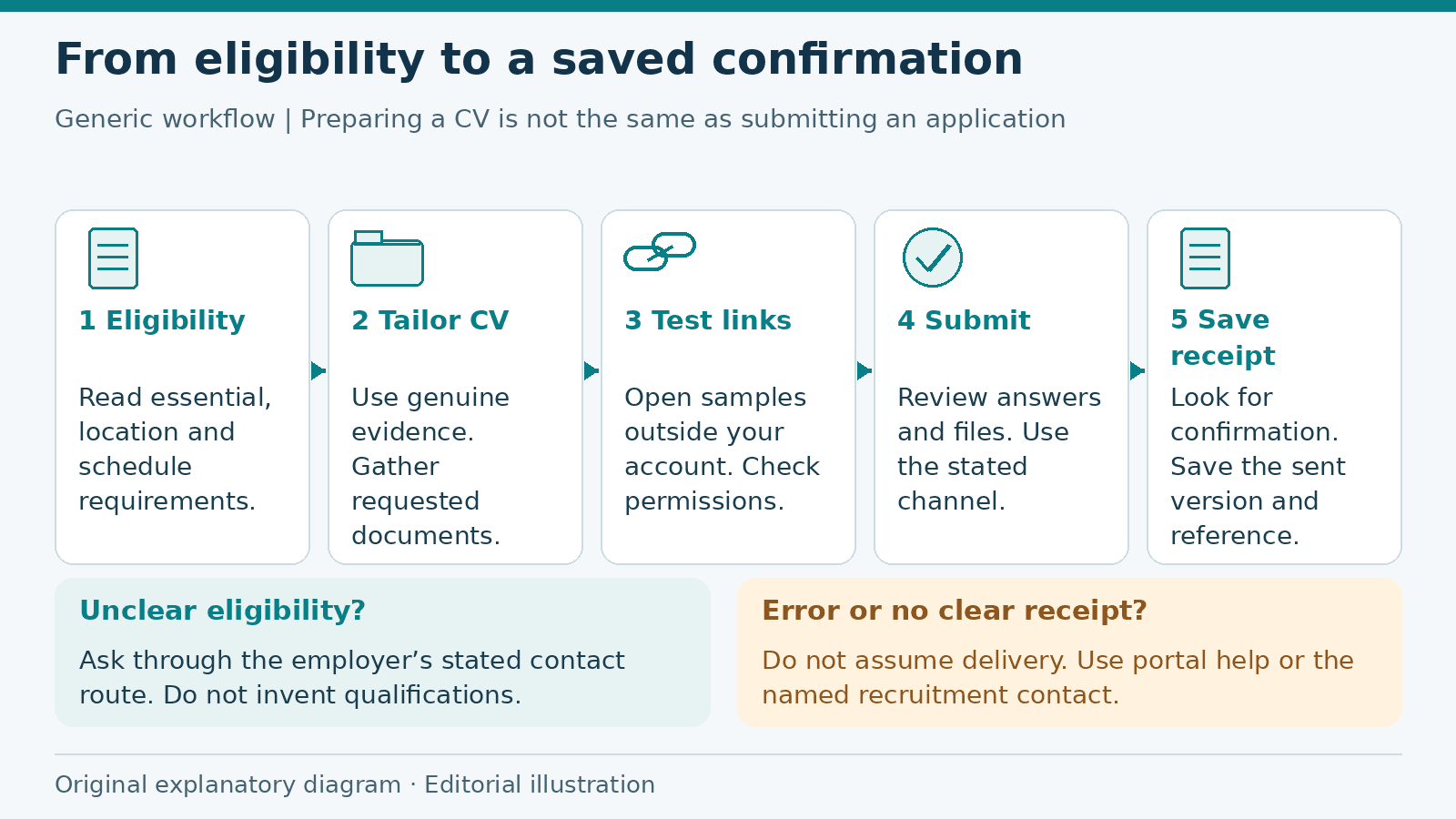
Job Application Checklist: From Eligibility to Submission
Prepare a job application from eligibility checks to submission confirmation, with a fictional worked example, document guidance and a practical checklist.
Read more
Comments (0)
Sign in to join the discussion.
No comments yet. Start the conversation.